Local recordkeeping
Organize and review your records in the Desktop application. 2A Ledger does not provide cloud inventory synchronization.
 2A Ledger™Your Electronic Munitions Record
PRIVATE 2A DATA STORAGE
2A Ledger™ is private firearm inventory software. Simplify gun record keeping. Keep firearm details, photographs, documents and sale history organized on your computer.
Already have a key? Download 2A Ledger
Watch the complete walkthrough or explore 36 video chapters →
Get the Android companion for your licensed desktop
Introductory price · one-time purchase · no subscription
Help your family understand the collection. Read the firearm inheritance and family preparation guide.
LAND OF THE FREE ★ HOME OF THE BRAVE
Activation and periodic license checks use the internet.
Purchase securely and retrieve your eligible release from this website.
TWO WAYS TO VIEW YOUR RECORDS
Try both views: Select Inventory or Gallery below, then click or tap the screenshot to enlarge it.
Shown in Midnight Blue. Additional appearance palettes are available in the desktop app.
PLATFORM AVAILABILITY




Download directly from 2A Ledger: Windows desktopAndroid companion
TRY THE WORKFLOW
The optional interactive demo uses JavaScript. The customer guide explains the desktop workflow without it.
End of interactive demonstration. Return to Home or explore desktop features.
YOUR RECORDS, KEPT LOCAL
Your inventory, photographs, documents and inventory password remain local. Password protection is optional.
Organize and review your records in the Desktop application. 2A Ledger does not provide cloud inventory synchronization.
Internet access is used for activation and periodic license checks. New purchases include one personal multiplatform key for one user on up to three authorized devices. Device enrollment is required.
The demonstration uses fictional records in page memory. Reloading resets its changes. It does not open your inventory or accept real attachments.
This panel explains product behavior; it is not a replacement for the software’s approved legal policies.
Selected public website pages use Cloudflare Web Analytics for aggregate traffic and performance measurement. Cloudflare describes this analytics service as cookie-free; it does not use analytics cookies or track visitors across websites. The embedded Demo, protected customer and owner workflows, and local inventory are excluded. Eligible public pages make requests to Cloudflare. Analytics may be blocked or incomplete; Stripe and the licensing system remain the records of payment and issued licenses.
FROM ACQUISITION TO HISTORY
Explore the complete released features → · Start with the free inventory checklist
Search item details, use automatic categories, and review Active and Sold records.
Switch between a detailed table and visual cards. Select a display photo for each item.
Keep multiple ATF classifications and their associated Form entries together.
These records do not determine legal status or replace official guidance.
Keep useful references with each firearm in its own Resources tab.
Owner's-manual lookup and downloads are offered when available for supported models. Coverage varies by manufacturer, model, and generation. Video links require internet and do not save videos offline.
Record tabs: Details / Photos / ATF / Resources. Approval details and PDFs have their separate ATF tab.
Use manuals and references →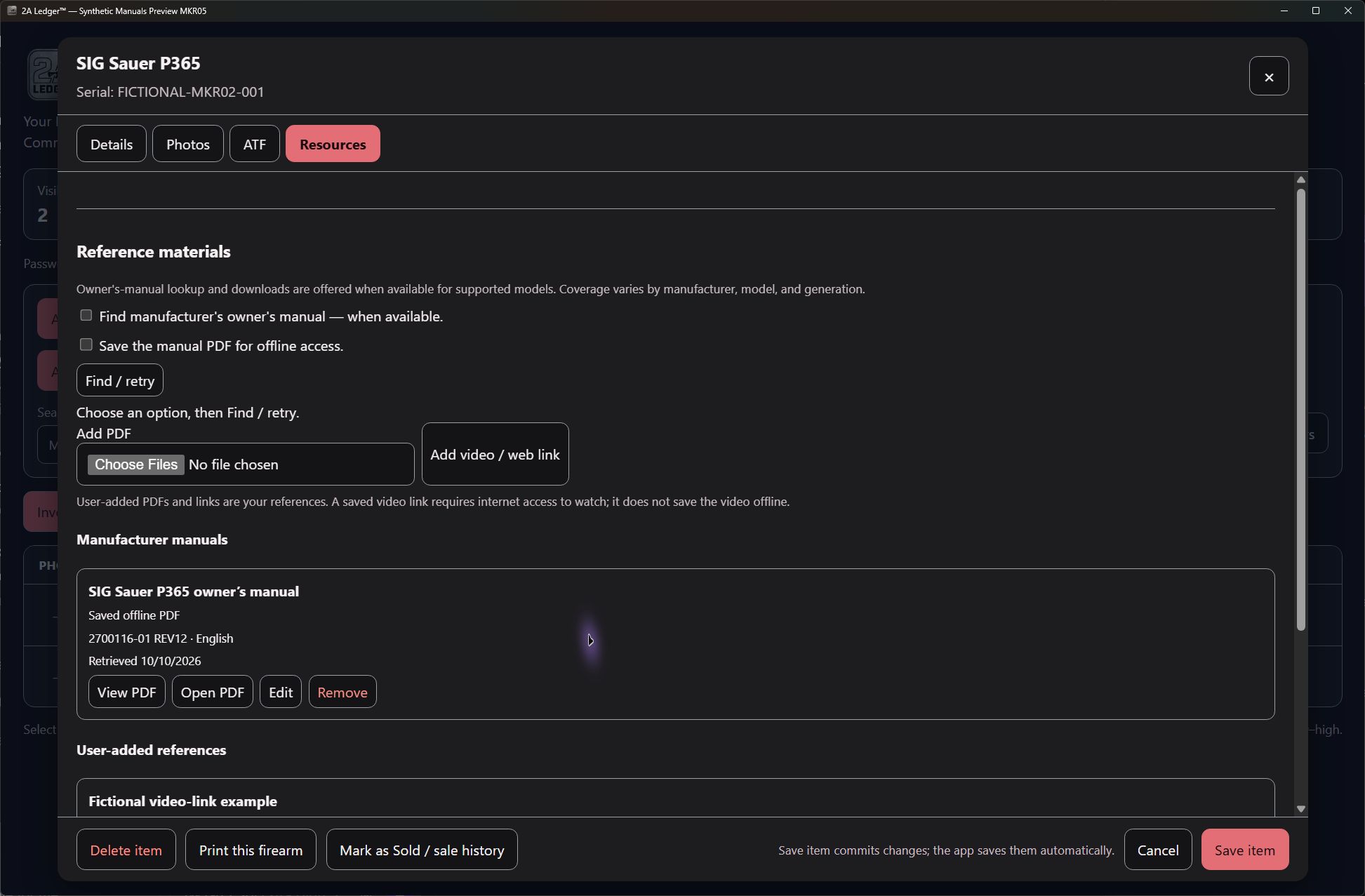
Make the desktop feel like your workspace.
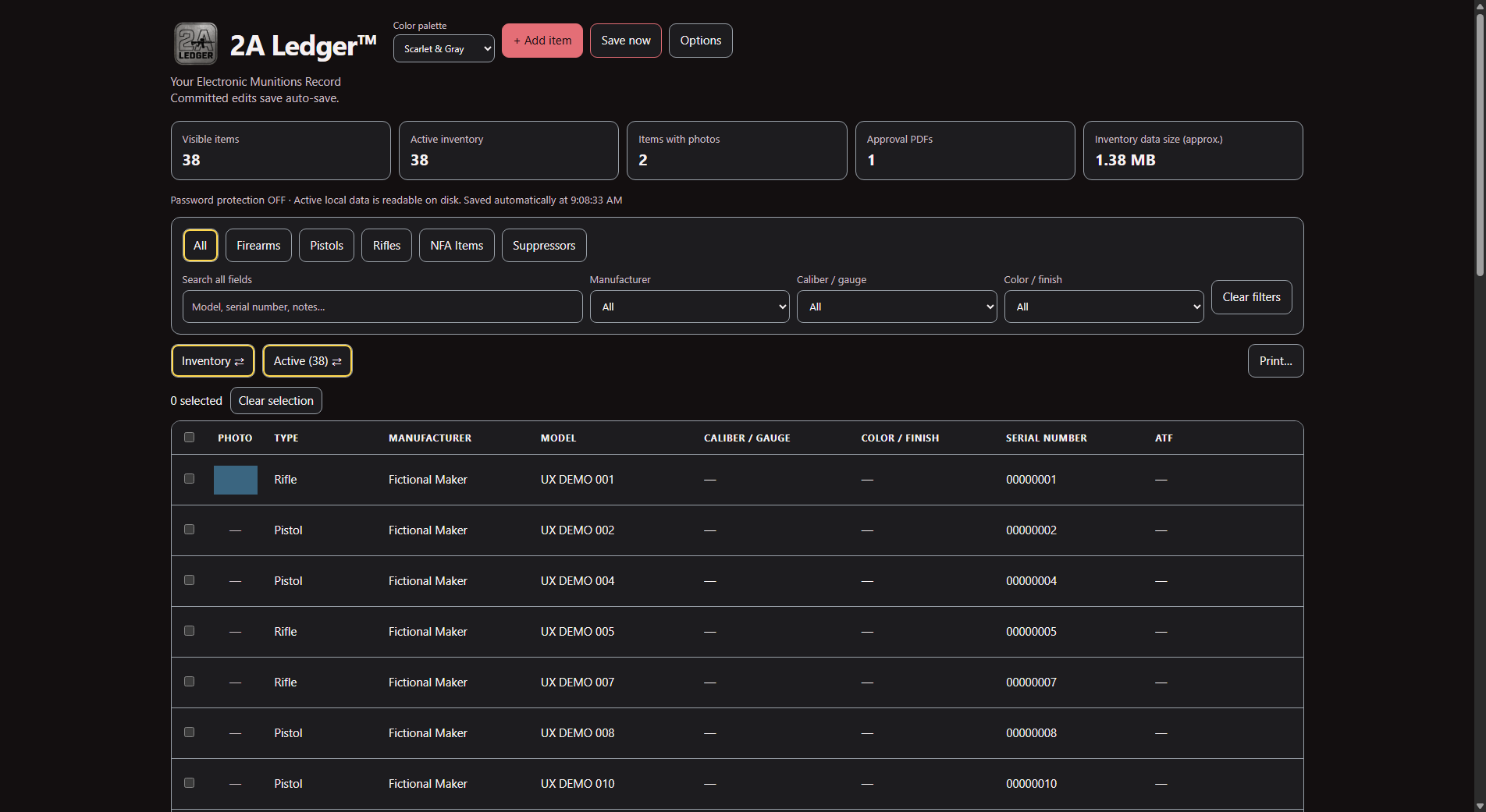
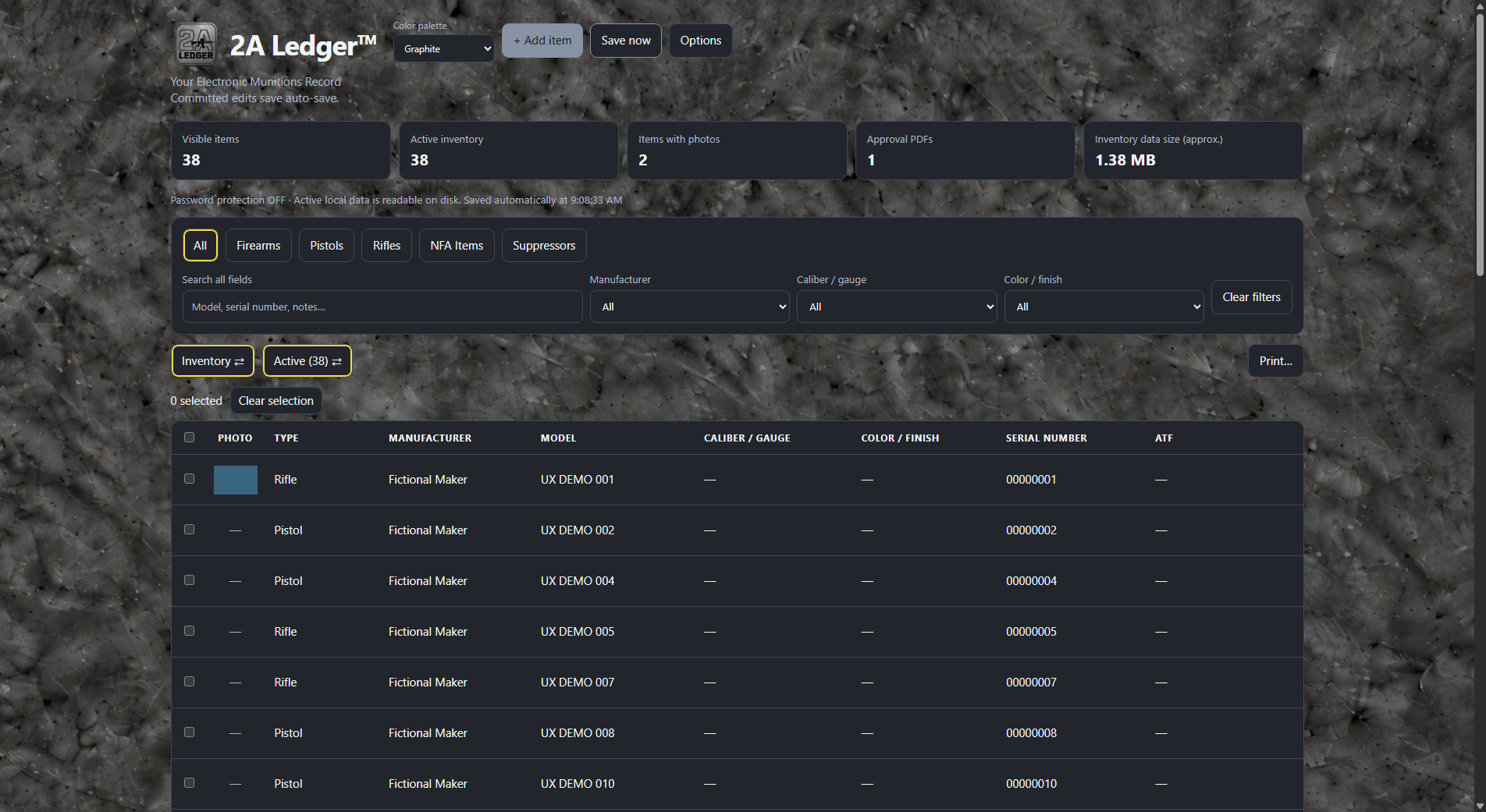
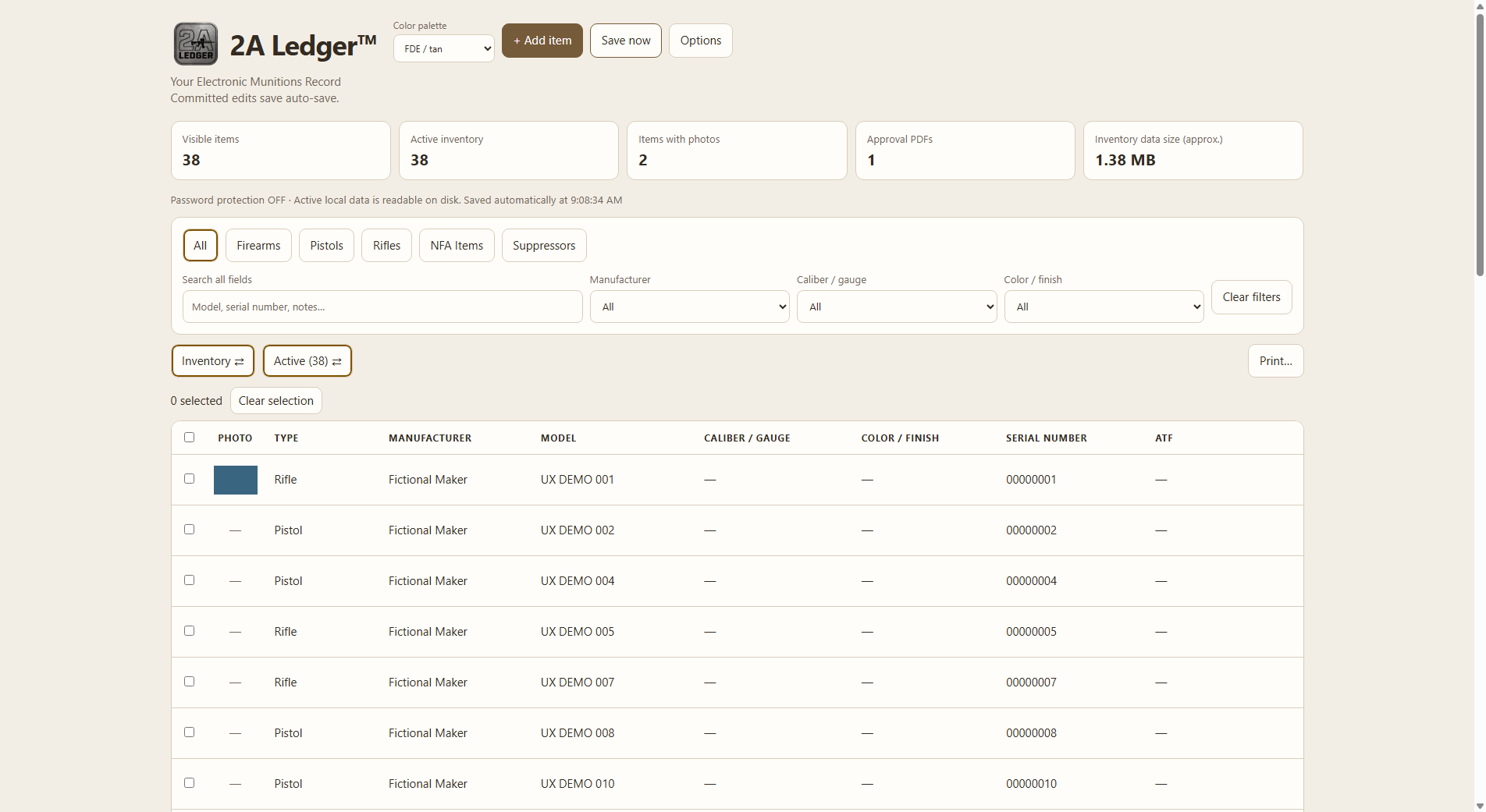
Native Windows palette references shown above, captured from the accepted Windows interface candidate using fictional DEMO records. Also available: Forest green, Midnight Blue, Navy blue and Light gray. Desktop palettes are independent of this website’s permanent appearance.
Protect and preserve the records you maintain.
Your inventory, photographs, documents and inventory password remain local.
ONE-TIME PURCHASE
One user. Up to three authorized devices across supported platforms.
Internet access is used for activation and periodic license checks.
2A Ledger™
Introductory price
Regular price$24.99
$14.99 USD
Save $10
One-time purchase for the current version.
Purchase 2A Ledger™ · $14.99Bug and security fixes released for the purchased initial version are included. Version or feature upgrades require a new license at the then-listed upgraded-version price.
Review the license, support and refund terms before checkout.
The 0.5.26 Windows installer is signed and timestamped by YourEMR LLC. Follow the customer guide to verify and install it.
CLEAR ANSWERS
No. I actually have two degrees in Respiratory Therapy, and I’m a full-time therapist with a passion for the Second Amendment.
I built this for myself, but a few of my close friends and coworkers told me that I “really have something here,” so now it’s available for everyone else to use, too.
Believe me, I cannot see your collection or what you put in it. And I don’t really care. Nobody cares about your Hi-Points.
Your inventory, photographs and documents remain on your computer. Your inventory password is used locally to unlock protected data. The licensing service cannot open your inventory. Use About / data folder to locate the active files.
Yes. Activation and periodic license checks use the internet; you do not need to stay continuously online. Optional manual retrieval and opening web or video references also use the internet. See the customer guide’s offline-use and renewal instructions.
The introductory one-time price is $14.99 USD for one user and up to three supported devices. There is no subscription. Bug and security fixes released for the purchased initial version are included. Version or feature upgrades require a new license at the then-listed upgraded-version price.
New purchases include one personal multiplatform key for one user on up to three authorized devices. Device enrollment is required.
Inventory password protection is optional in the Desktop application.
No. The records and documents shown use fictional demo information.
Use Save protected backup in Password protection and keep the .flvault file on an independent drive. Restore snapshot replaces the active inventory using your selected backup. Keep the password used for each backup: SUPPORT CANNOT RECOVER A FORGOTTEN INVENTORY PASSWORD. Read the backup and restore instructions.
Download and install the program, activate privately, then choose password protection and make a backup before adding sensitive records. Follow the customer guide. Purchase 2A Ledger or download with your existing key.
Yes. Inventory shows a detailed table; Gallery shows visual cards. Choose the display photo in an item’s photo manager.
Yes. Inventory Options lets you choose and order columns separately for the screen and printed inventory.
Yes. Keep classifications with their associated Form entries in the item editor. The app records your information; it does not determine legal status or provide legal advice.
Yes. Open its Resources tab to deliberately look up a supported manufacturer's owner's manual and optionally save the PDF locally. You can add your own PDFs and video or web links for any record. Owner's-manual lookup and downloads are offered when available for supported models. Coverage varies by manufacturer, model, and generation.
Saved PDFs remain available locally, subject to the app's viewing and password-protection rules. Manual lookup/download and opening a video or web link need internet. Saving a video link does not download the video.
The legal software provider is YourEMR LLC. Contact 2A.Freedom.Ledger@gmail.com for support.
Independent recordkeeping software. Not affiliated with the ATF.