
RELEASED WINDOWS PRODUCT · 0.5.2-rc.51
2A Ledger features.
2A Ledger is local firearm inventory and gun record keeping software from YourEMR LLC. Keep the details you enter, your photos and supporting documents together on your Windows computer.
- $14.99 USD once for the purchased initial version
- Windows desktop · one active computer per key
- Local records · activation and periodic checks use the internet
- No subscription or trial · version or feature upgrades need a new license
Inventory and search
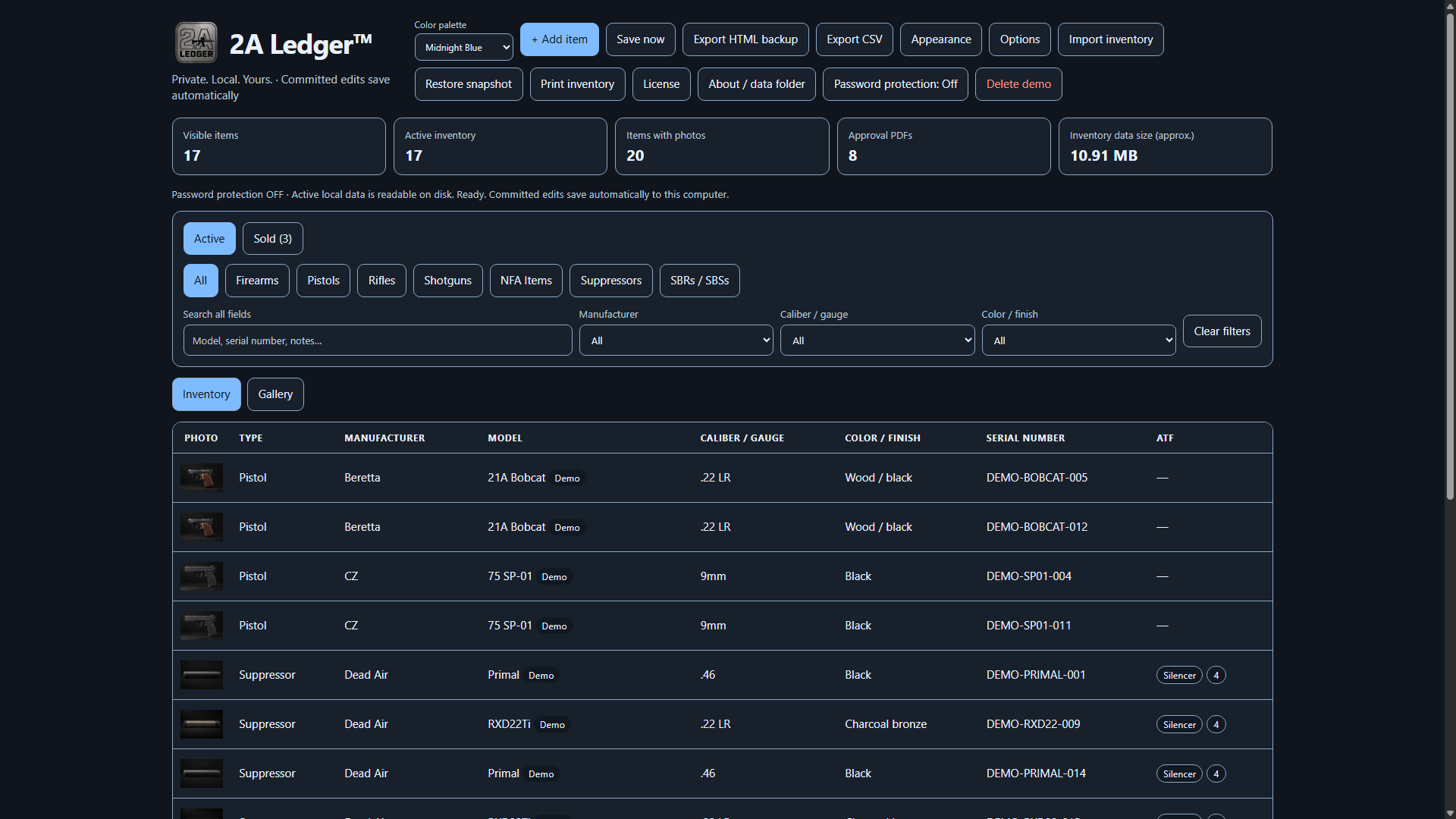
Record manufacturer, model, type, caliber or gauge, serial number, acquisition details, storage location, purchase price, current value and your own notes. Search across item details, filter by manufacturer or caliber, and use the automatic categories to narrow the list.
Choose Active for currently owned inventory. The All category within Active excludes sold firearms from both Inventory and Gallery. Choose the separate Sold tab only when you want to review sold items. Configure screen columns to suit the way you review records. Choose Save item to commit an editor; committed changes save automatically. Unsubmitted edits are not saved records.
Start with the identification checklist, or see how useful details help with a theft report. Your entry is a personal record, not a legal determination.
Photos and Gallery
Attach up to eight local photos per item. Choose a display photo, then switch between the detailed Inventory table and visual Gallery cards. Photos can show readable markings, condition and accessories; capture those details yourself rather than relying on a generic product picture.
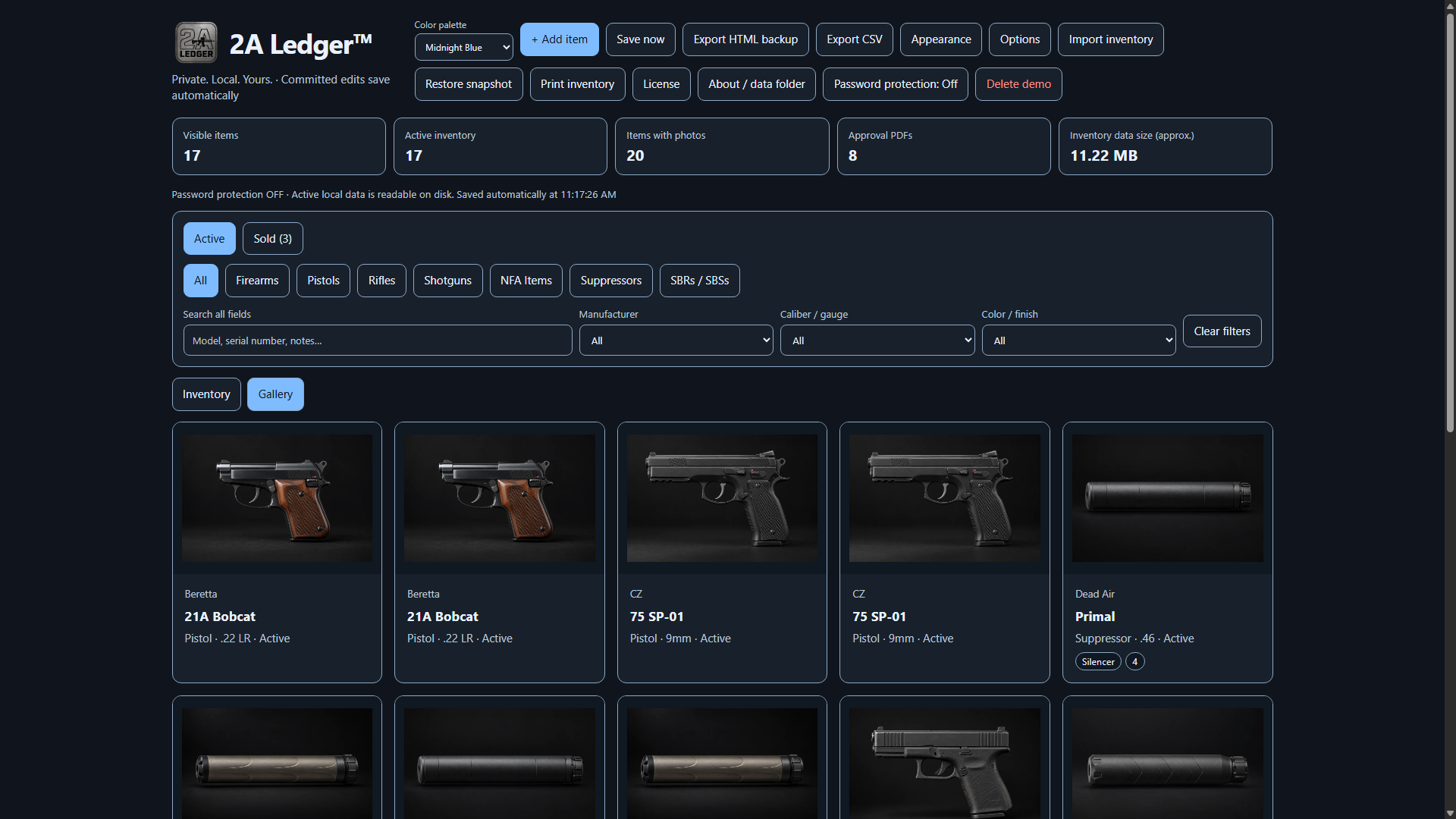
The original photos you select remain where you stored them. The app also keeps its own copies with the record. Use the photo checklist to plan the pictures you need.
Documents and supporting records
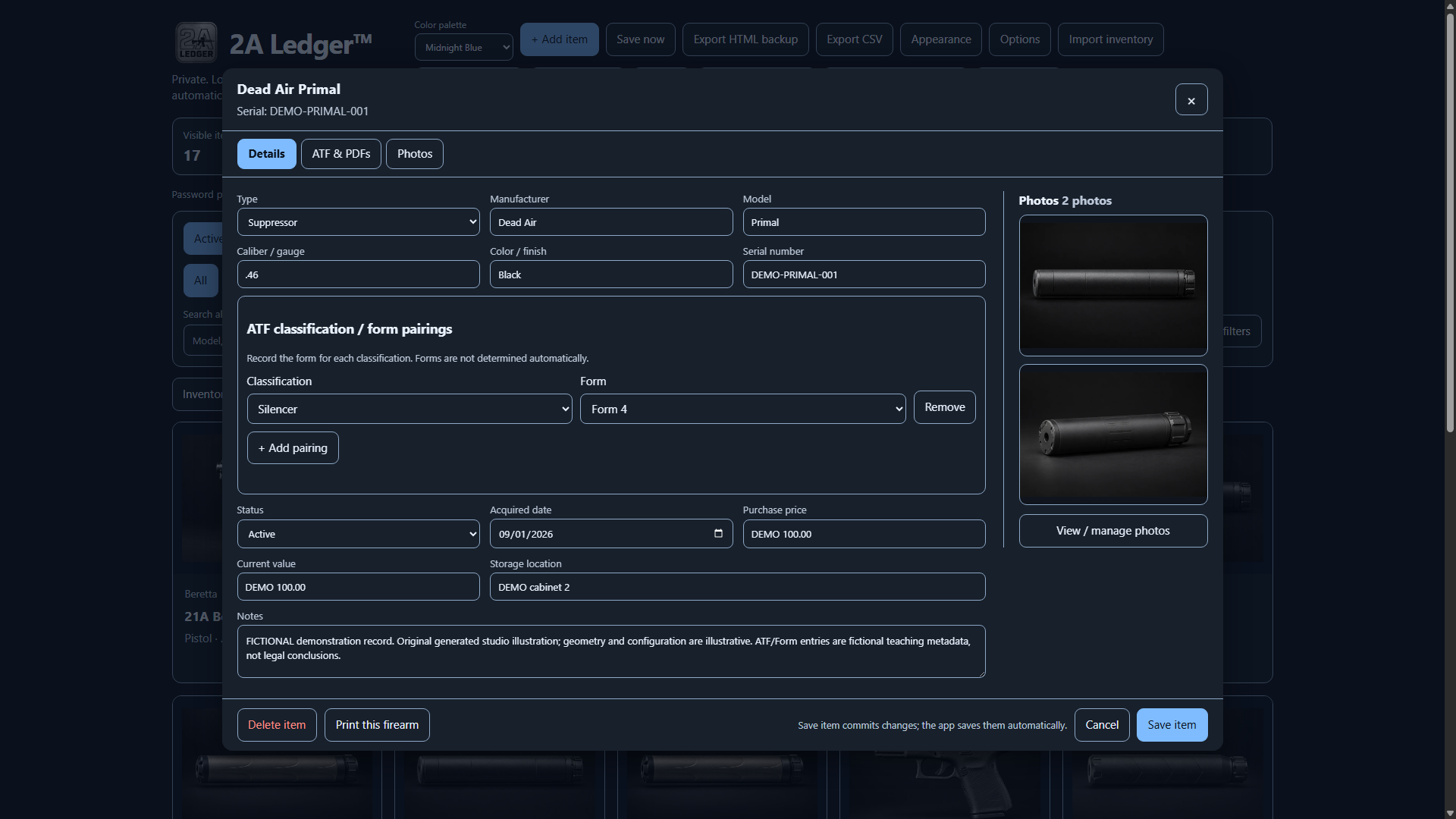
Keep PDF attachments with the relevant item, alongside ATF classifications and their associated Form entries when applicable. RC51 provides in-app PDF attachment previews; you can also open a PDF in an external viewer. A personal classification or Form entry does not establish approval, determine legal status or replace the actual document.
Retain original receipts, approvals, transfers and estate documents separately. Ask the relevant authority or professional about the records required for your situation. See the right NFA document and supporting-document references.
Sold archive and private buyer details
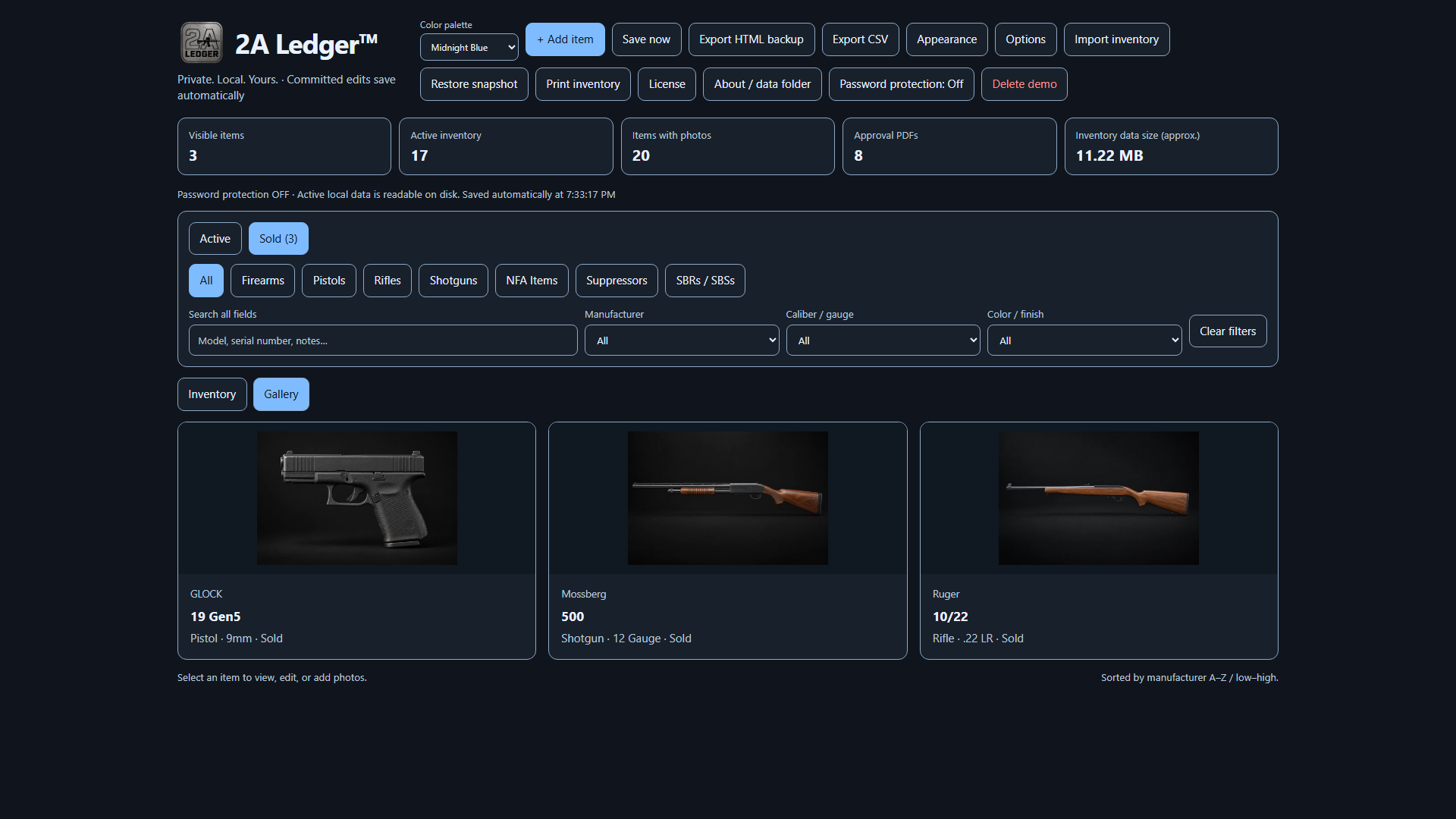
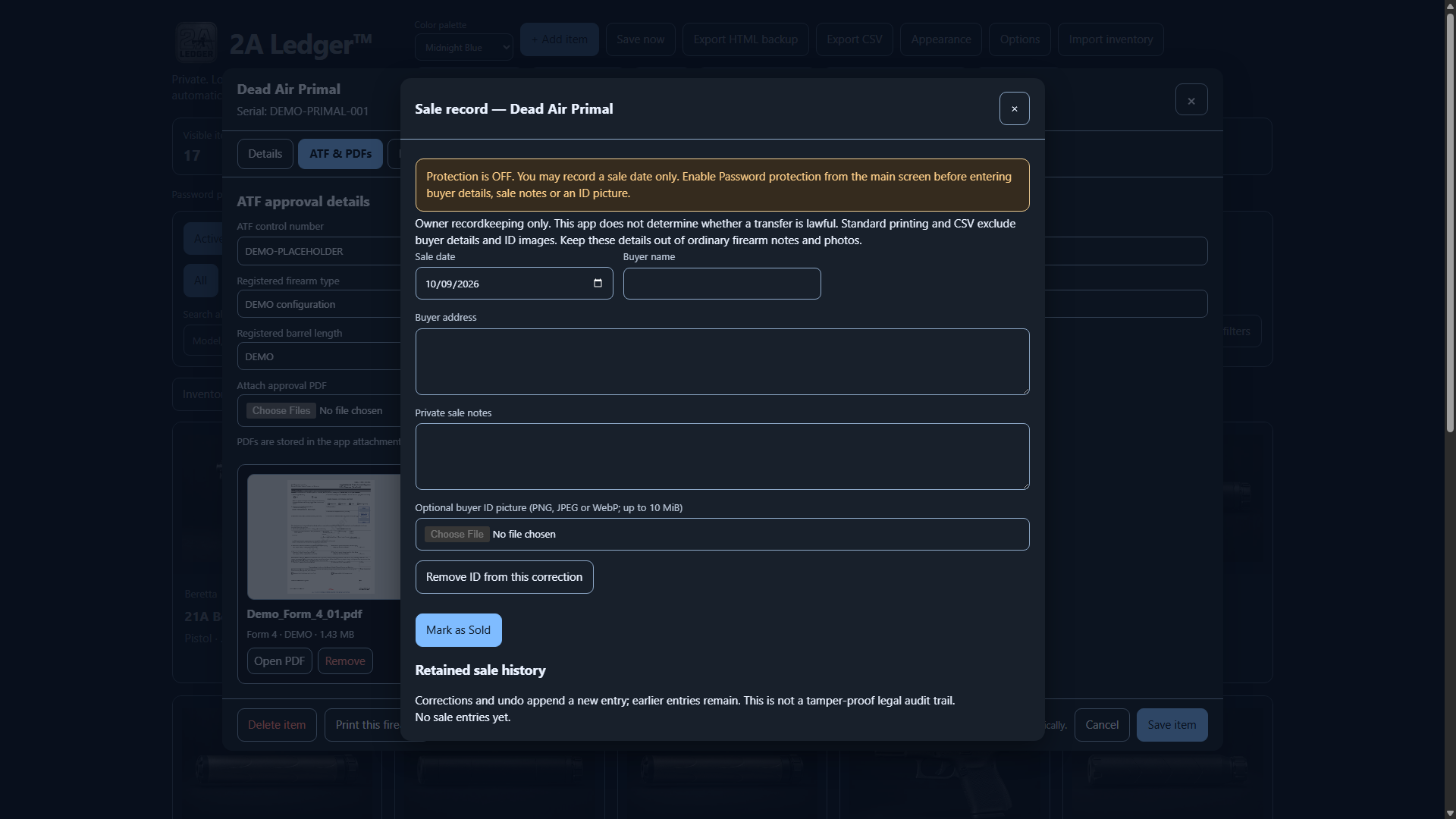
Mark an item Sold and retain its history separately from Active inventory. Returning it to Active does not silently erase the retained sale history. Enable password protection before entering buyer details, sale notes or ID images; with protection off, the sale workflow permits a sale date only.
Standard printing and CSV omit buyer details and ID images. Sensitive retained sale history can block unprotected HTML export and disabling protection. Keep personal information out of ordinary notes and photos, and use a protected backup when you need to preserve the complete protected history.
Buyer ID has its own box: open a saved item, then Mark as Sold / sale history. The optional buyer ID picture belongs to that sale record, separate from ordinary firearm photos. Enable Password protection before entering buyer details, private sale notes or an ID image. Keep IDs out of the ordinary photo Gallery and notes.
Use the free private-sale checklist and transaction receipt to organize records you retain separately.
The software is not a tamper-proof audit trail and does not decide whether a transfer is lawful. Read the sold-item use case.
Printing and exports
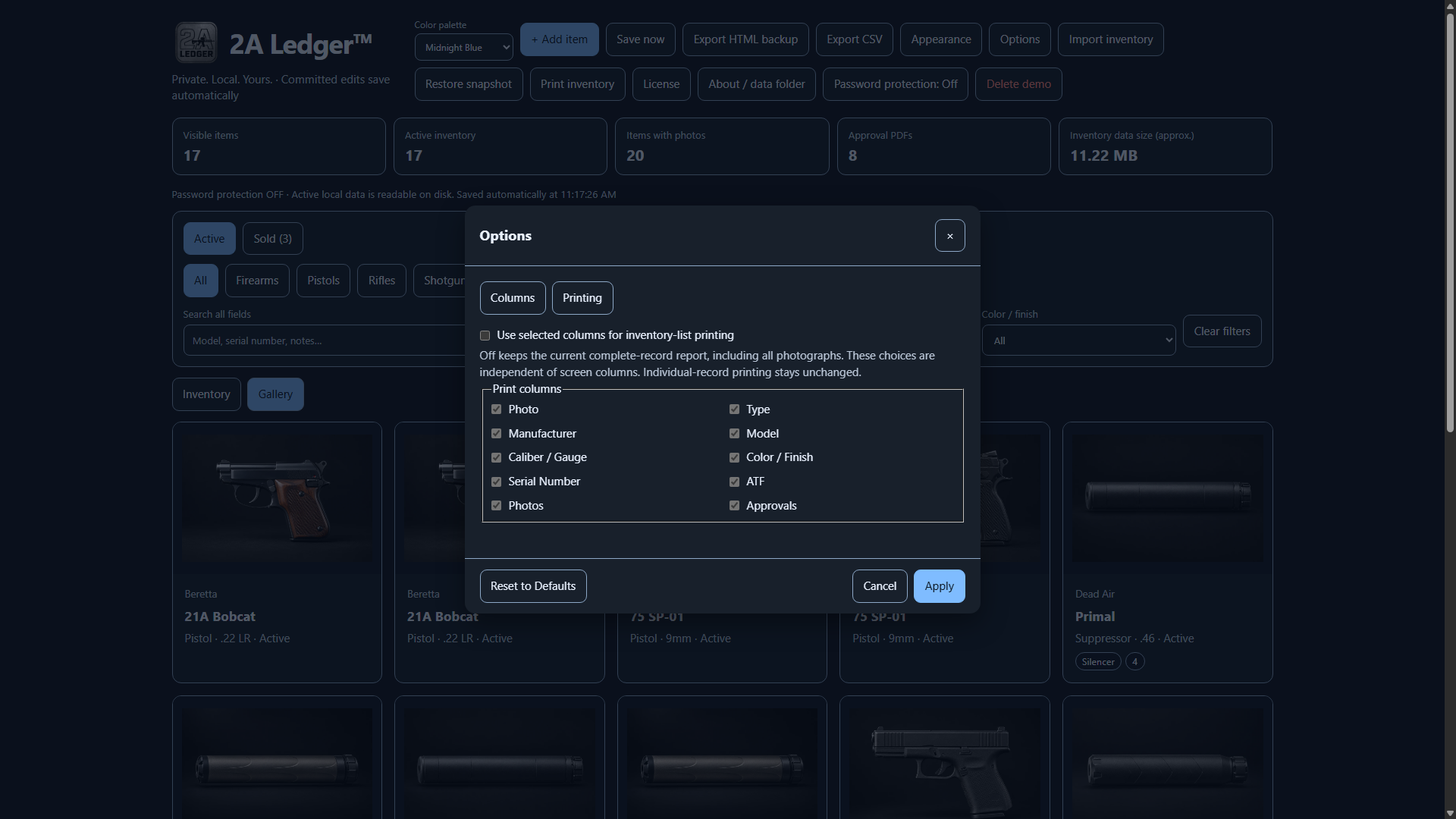
Print one saved record or an inventory report. The complete-record report includes saved details and photographs. You can instead choose inventory-list print columns independently of the on-screen columns; Photo then uses the selected display photo, and Approvals is a count.
Print reports use saved records rather than unsaved form edits. PDF attachment names or labels can be listed, but the attachment pages are not printed. Standard reports exclude buyer details and ID images. Paper, print spool files and saved PDFs are readable copies outside the inventory password protection.
Open an actual fictional RC51 print sample (PDF)
Generated by the released app's saved-record print pipeline in an isolated fictional-data profile. One DEMO record, two illustrative photos and attachment references; it is not a complete backup or an official approval.
CSV exports readable inventory fields. An unprotected HTML backup can include inventory, photos and PDFs, subject to the app's sensitive-history safeguards. These readable exports are not interchangeable with a protected .flvault backup. Review the backup and export instructions before choosing a format.
Protected backups
Password protection is optional. Enable it before adding sensitive details and keep the password somewhere safe outside the computer. Save a protected .flvault backup to an independent drive, then verify a restore in a separate test copy. You need the password used when that backup was created.
Support cannot recover a forgotten inventory password. Protection does not remove earlier plaintext files, readable exports or other copies, and it does not protect an unlocked screen from malware or someone who can see it. Local snapshots on the same computer are not an independent backup.
Follow password setup and restore verification. The checklist's backup routine also applies if you use a different recordkeeping method.
Setup and ongoing use
- A Windows computer with room for the installer, application, your photos/documents and independent backups.
- The signed and timestamped 0.5.2-rc.51 installer, retrieved from the official customer download page. Verify YourEMR LLC and the published checksum.
- An eligible activation key for one active computer, with internet access for activation and periodic licensing checks.
- Your inventory password when protected data must be unlocked; it is separate from the activation key.
You do not need to stay continuously online. Licensing renewal, expiry and offline grace affect when editing remains available; see the current renewal schedule. An offline app cannot immediately learn of a server-side reset or revocation.
The released offer described here is Windows desktop software. No unreleased platform, trial, cloud synchronization or automatic recovery is promised.
Questions before buying
Is the price a subscription?
No. The current offer is $14.99 USD once for the purchased initial version on one active computer. Bug and security fixes released for that version are included. Version or feature upgrades require a new license at the then-listed price.
Does local storage mean no internet is needed?
No. Inventory contents stay local, while activation and periodic license checks use the internet. You do not need a continuous connection; consult the guide before a long offline period.
Does the software prove ownership or compliance?
No. It organizes the records you maintain. Keep the underlying documents and obtain appropriate advice; entries do not establish legal title, guarantee compliance or make an insurance claim payable.
What happens if installation or activation fails?
Contact support within 7 days of purchase. If the problem cannot be resolved, the purchase will be refunded, without limiting applicable legal rights. Read the current refund policy.